אינטגרציות ואפשרויות מתקדמות
אימוץ פרויקט: העתקה בין חשבונות
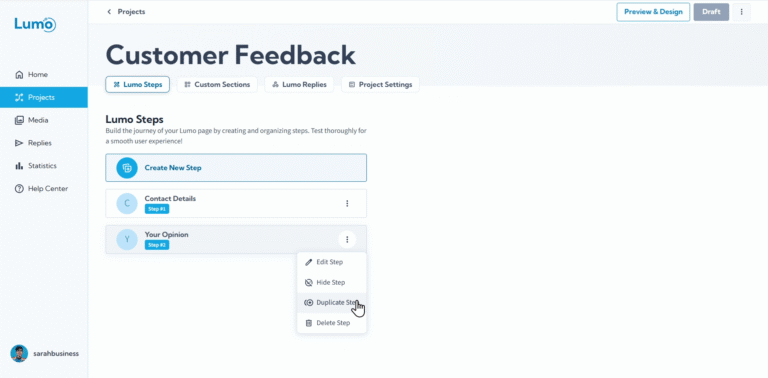
תכונת Project Adoption נותנת למשתמשי Lumo את היכולת לשתף את הפרויקטים שלהם עם אחרים, ומאפשרת להם ליצור עותק כפול לשימוש עצמאי. זה שונה משיתוף פעולה, שכן המשתמש החדש מקבל פרויקט נפרד לחלוטין.
כיצד להפעיל Project Adoption
כדי להפעיל Project Adoption לפרויקט שלכם, נווטו ל-Project Settings. משם, תראו קטע חדש בשם "Project Adoption" עם האפשרויות הבאות:
- Disallow Adopt: זו ברירת המחדל. משמעותה שאף משתמש אחר לא יכול לאמץ את הפרויקט שלכם.
- Allow Adopt Public: מאפשר לכל משתמש Lumo אחר ליצור עותק של הפרויקט שלכם.
- Allow Adopt with Password: מאפשר למשתמשים אחרים לאמץ את הפרויקט שלכם, אך רק לאחר הזנת סיסמה שתגדירו. הסיסמה מוצפנת ולא ניתן לשחזר אותה, אז הקפידו לשמור אותה במקום בטוח. עם זאת, תוכלו לעדכן אותה בכל עת.
מה מועתק
כשמשתמש אחר מאמץ את הפרויקט שלכם, נוצר פרויקט חדש ועצמאי בחשבון שלו. פרויקט חדש זה יכיל את כל אלמנטי העיצוב והתוכן של ה-Lumo המקורי שלכם, כולל:
- כל השלבים והשמות שלהם.
- כל בלוקי התוכן (Text, Image, Video, Button).
- כל בלוקי השדות (Text, Long Text, Rating וכו').
- כל הגדרות העיצוב, כולל צבעים, גופנים ופריסות.
תהליך אימוץ הפרויקט אינו מעביר נתוני תגובות משתמשים, ואינו מעתיק הגדרות הקשורות לתגובות, כמו התראות אימייל או תצורות Webhook. המשתמש החדש יצטרך להגדיר הגדרות אלה בעצמו אם הוא רוצה לאסוף תגובות.
לאחר שהפרויקט מופעל לאימוץ, שורה חדשה תופיע בחלק העליון של דף הפרויקט עם קישור לדף "ADOPT". דף זה מנחה את המשתמש בתהליך יצירת עותק חדש.